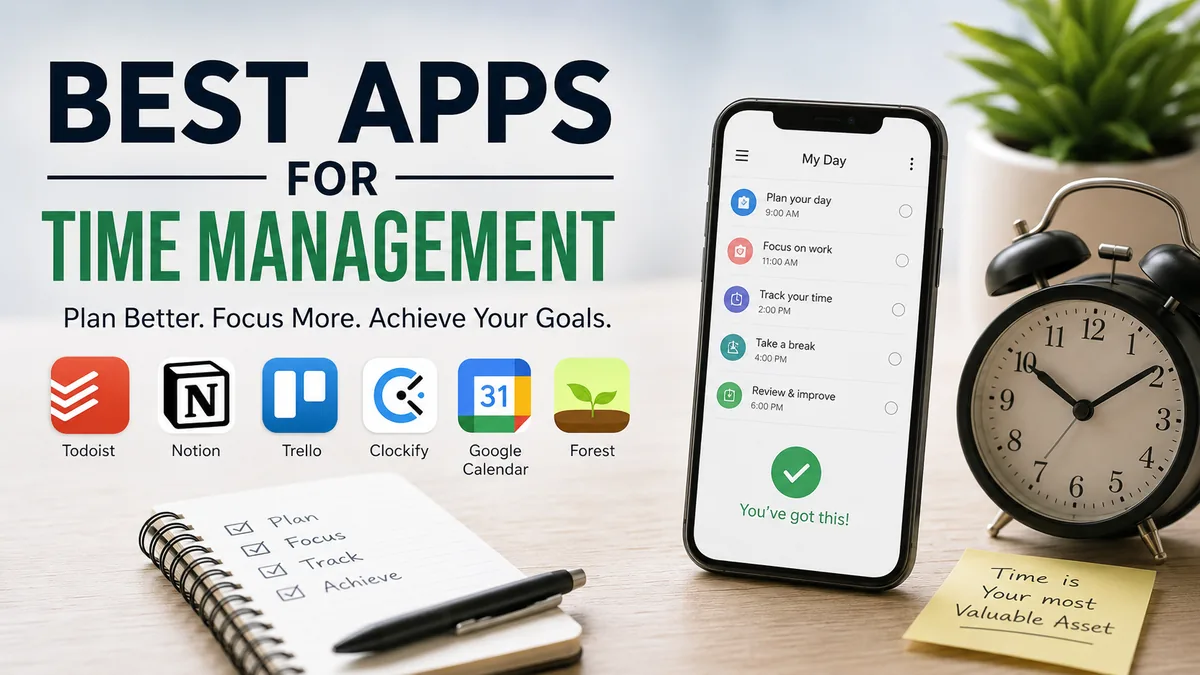
A packed to-do list does not necessarily mean you have a time-management problem. Often, the real problem is that tasks, meetings, priorities, and distractions live in different places.
The best apps for time management solve different parts of that problem. Some organize tasks, some turn work into calendar blocks, some automatically rebuild your schedule, and others reveal where your hours actually go. The right choice depends less on having the longest feature list and more on fixing the specific way you lose time.
Quick answer: For most people, Todoist is one of the strongest choices for straightforward task management, while TickTick combines tasks, calendars, habits, and Pomodoro sessions. Sunsama is particularly useful for deliberate daily planning, Motion emphasizes AI scheduling, and Toggl Track, Clockify, and RescueTime are better when understanding actual time use is the priority.
Best Apps for Time Management at a Glance
There is no universal “best” productivity app because time management involves several different jobs: deciding what matters, scheduling it, doing focused work, and reviewing where the time went.
| App | Best for | Main strength | Possible drawback |
|---|---|---|---|
| Todoist | Everyday task management | Fast, flexible task organization | Less focused on automatic scheduling |
| TickTick | All-in-one personal productivity | Tasks, calendar, habits, Pomodoro | Many features can feel busy |
| Sunsama | Daily planning | Guided planning and timeboxing | More structure than casual users need |
| Motion | Automatic scheduling | AI-powered calendar planning | Automation may feel restrictive |
| Google Calendar | Simple time blocking | Familiar visual scheduling | Limited task-management depth |
| Microsoft To Do | Simple daily lists | My Day and Outlook connection | Fewer advanced planning features |
| Toggl Track | Freelancers and professionals | Flexible time tracking | Requires tracking discipline |
| Clockify | Free time tracking | Timers, reports, projects | Planning features are secondary |
| RescueTime | Understanding digital habits | Automatic activity tracking | Less useful as a traditional task manager |
| Forest | Phone distraction control | Gamified focus sessions | Not a full planning system |
| Notion | Custom productivity systems | Highly flexible workspace | Easy to over-customize |
| Focus To-Do | Pomodoro-based work | Tasks plus focus sessions | Less powerful for complex projects |
A useful rule is to choose the app based on your biggest bottleneck rather than trying to manage every aspect of your life with one tool.
1. Todoist: Best Overall for Task Management
Todoist is a strong starting point for people who know what they need to accomplish but struggle to keep tasks organized.
Instead of turning task entry into a project of its own, Todoist is designed around quickly capturing work and organizing it into projects, priorities, labels, deadlines, and recurring tasks. That makes it useful for personal responsibilities, professional work, studying, and shared projects.
Its main advantage is simplicity. You can build a fairly sophisticated productivity system without needing to maintain a complicated workspace.
Who should use Todoist?
Todoist makes the most sense if you:
- Forget tasks or deadlines
- Keep multiple disconnected to-do lists
- Manage recurring responsibilities
- Need separate personal and work projects
- Want a task manager that works across devices
- Prefer prioritizing work yourself rather than having AI build your entire day
The limitation is equally important. A well-organized task list does not automatically create a realistic schedule.
If you regularly write 15 tasks for a day that only has five free hours, pairing a task manager with time blocking can be more effective than adding even more tasks.
2. TickTick: Best All-in-One Time Management App
TickTick sits somewhere between a conventional to-do list and a broader personal productivity system.
You can create tasks and recurring reminders, view work through different calendar layouts, track habits, use an Eisenhower Matrix, and run Pomodoro focus sessions. Its calendar can also integrate with Google Calendar.
That combination matters because people often end up installing separate apps for tasks, habits, calendars, and focus timers.
TickTick can reduce that fragmentation.
TickTick’s most useful time-management features
The major tools include:
- To-do lists and subtasks
- Recurring reminders
- Calendar views
- Task durations
- Timeline planning
- Habit tracking
- Pomodoro timer
- Eisenhower Matrix
- Focus statistics
- Calendar subscriptions and integrations
The built-in Pomodoro function follows the familiar approach of dividing work into focused intervals. TickTick describes its standard approach around 25-minute work periods.
For someone who wants one app for time management and productivity, TickTick is one of the most complete options.
The trade-off is complexity. If you only need a clean daily checklist, many of these features may be unnecessary.
3. Sunsama: Best for Daily Planning and Time Blocking
Sunsama takes a different approach. Rather than encouraging you to accumulate an enormous backlog, it focuses heavily on deciding what can realistically fit into today.
Its guided daily planning process helps users review tasks, estimate workload, arrange priorities, and optionally timebox tasks on a calendar.
This makes Sunsama particularly useful for professionals whose days contain a mixture of meetings and independent work.
Why timeboxing can improve a daily plan
A to-do list answers:
What do I need to do?
Timeboxing answers:
When will I actually do it?
Sunsama allows tasks to be placed directly onto a calendar. It can work with Google, Outlook, or Apple calendars, while its own calendar can also be used.
For example, instead of writing:
- Prepare presentation
- Answer important emails
- Review report
you might schedule:
- 9:00–10:30 — Prepare presentation
- 10:45–11:15 — Important emails
- 2:00–3:00 — Review report
The second version immediately exposes an overloaded day.
Sunsama also brings tasks from tools such as Asana, ClickUp, Jira, Notion, Todoist, and Trello into its daily workflow.
Quick Takeaway: Sunsama works particularly well when your problem is not remembering tasks but consistently planning more work than your available hours can accommodate.
4. Motion: Best for AI Scheduling
Motion is designed for people who want software to do more of the scheduling itself.
Its AI Task Manager considers factors such as deadlines and priorities to automatically place tasks into a schedule. When circumstances change, the system can reorganize the plan.
That creates a fundamentally different workflow from a normal calendar.
With manual time blocking, you decide:
“I will work on this from 10:00 to 11:30.”
With automatic scheduling, you provide the tasks, constraints, deadlines, and priorities, then let the software determine where work should fit.
When AI scheduling actually helps
Automatic scheduling is most valuable when:
- Priorities change frequently
- Meetings regularly disrupt planned work
- You manage many deadlines
- You dislike manually rearranging calendar blocks
- Your work contains predictable task durations
- You repeatedly postpone unfinished work
It is less attractive if you enjoy controlling every part of your calendar manually.
AI scheduling also does not eliminate prioritization. Software can rearrange the information you give it, but you still need to decide which commitments genuinely matter.
5. Google Calendar: Best for Simple Time Blocking
Google Calendar remains one of the most practical time-management tools precisely because it does not need to become an elaborate productivity system.
Meetings already occupy calendar space. Adding focused work blocks gives you a much more accurate picture of your remaining capacity.
Suppose your workday runs from 9 AM to 5 PM.
You may initially think you have eight hours available. Once lunch, three meetings, administrative work, and breaks appear on the calendar, perhaps only three or four hours remain for focused work.
That distinction is why calendar-based planning can be more realistic than an unrestricted to-do list.
A simple calendar time-blocking system
Try four steps:
- Add fixed commitments first.
- Identify your two or three highest-priority tasks.
- Estimate how long each task realistically requires.
- Reserve calendar blocks for those tasks before filling smaller gaps.
Leave some unscheduled space.
A calendar packed to 100% capacity usually fails as soon as a meeting runs late, a task takes longer than expected, or something urgent appears.
6. Microsoft To Do: Best Simple Free Task Planner
Microsoft To Do is particularly appealing to people already working inside Microsoft’s ecosystem.
Its central feature is My Day, a deliberately temporary list for the tasks you want to focus on today. The list resets each night, while unfinished tasks remain available and can appear in later suggestions.
That sounds minor, but it addresses a common productivity problem: carrying an enormous master task list around all day.
Instead, you can keep the backlog elsewhere and ask one simpler question each morning:
What actually deserves my attention today?
Microsoft To Do also supports due dates, reminders, repeating tasks, steps within larger tasks, and Outlook integration.
It is a good option if you want a straightforward system without the customization demands of more complex productivity platforms.
7. Toggl Track: Best for Understanding Where Work Time Goes
Planning your time and measuring your time are different activities.
Toggl Track focuses primarily on the second.
Users can track activities through timers or manual entries and view recorded time through a calendar. Toggl Track also supports offline tracking, desktop and mobile apps, integrations, reporting, and a Timeline feature for app and browser activity.
This is especially valuable for:
- Freelancers
- Consultants
- Agencies
- Remote workers
- People billing by the hour
- Anyone who consistently underestimates task duration
Why tracking time changes planning
Imagine estimating that writing a report takes two hours.
After tracking similar work for three weeks, you discover the average is actually three hours and 20 minutes.
That information improves every future schedule.
This is one reason effective time management is partly a feedback problem. You plan, measure what happened, compare the two, and make better estimates next time.
8. Clockify: Best Free Time Tracker
Clockify is another major option for people whose primary goal is understanding and documenting time use.
It supports timers, manual entries, projects, tags, dashboards, reporting, break tracking, browser extensions, and synchronization across desktop, mobile, and web platforms.
One useful workflow is surprisingly simple:
- Start a timer when beginning meaningful work.
- Stop it when changing activities.
- Categorize entries by project or task.
- Review your dashboard at the end of the week.
- Compare planned time against actual time.
- Adjust future estimates.
Clockify is especially useful when you want detailed tracking without making the tracker itself your entire productivity system.
Clockify vs. Toggl Track
Both can solve the same fundamental problem, but the experience differs.
Clockify is frequently attractive to users looking for broad free time-tracking functionality, while Toggl Track emphasizes a streamlined tracking workflow and extensive reporting and team-oriented capabilities. Current comparisons also distinguish their approaches to analytics, employee privacy, integrations, and organizational use.
For personal time management, either can work. The more important question is whether you will consistently track enough activity to make the resulting data useful.
9. RescueTime: Best for Automatic Productivity Tracking
Manual timers have one obvious weakness:
You have to remember to start them.
RescueTime approaches time awareness from a more automatic direction, helping users understand digital activity and protect focused work periods.
Its Focus Sessions can block distracting activity for a selected period. Sessions can also be triggered through connected Google or Outlook calendar events, alerts, and distraction thresholds.
This makes RescueTime useful when your main question is:
“Where did my computer time actually go?”
rather than:
“What tasks are on my list?”
That distinction matters.
Someone who already knows their priorities but repeatedly loses 90 minutes to distracting websites does not necessarily need a better task manager. They need better awareness and stronger boundaries around attention.
10. Forest: Best for Reducing Phone Distractions
Forest turns focused work into a simple visual challenge.
You start a focus period and grow a virtual tree while staying away from distracting phone use. Repeated sessions gradually create a virtual forest. The gamification gives a small psychological cost to abandoning the session.
Forest does not replace a calendar, project manager, or sophisticated to-do list.
That is actually part of its appeal.
It targets one narrow behavior: putting the phone down long enough to finish something.
For students doing revision, writers trying to complete a draft, or anyone who habitually reaches for social media during difficult work, that narrow purpose can be more useful than another feature-heavy productivity dashboard.
11. Notion: Best for Building a Custom Productivity System
Notion is less a dedicated time-management app and more a flexible workspace that can be turned into one.
You can build databases for:
- Tasks
- Projects
- Goals
- Notes
- Study plans
- Content calendars
- Meeting notes
- Habit records
- Personal dashboards
That flexibility explains both Notion’s popularity and its biggest weakness.
You can spend so much time designing your productivity system that the system itself becomes procrastination.
For students, Notion can function as a centralized study workspace containing notes, assignments, revision schedules, and planning information. Competitor guides consistently include it among broader time-management options for this reason.
When Notion makes sense
Choose it when information management is closely tied to your time-management problem.
For example, a student might need tasks beside class notes. A content manager may want deadlines beside briefs and research. A project lead may want meeting notes linked directly to active projects.
If all you need is “buy groceries at 6 PM,” a simpler tool will probably serve you better.
12. Focus To-Do: Best for the Pomodoro Technique
The Pomodoro Technique breaks work into defined focus intervals separated by short breaks.
Focus To-Do combines that approach with task management, making it useful for people who struggle less with knowing what to do and more with actually starting.
A common pattern is:
- Select one clearly defined task.
- Start a focused work interval.
- Work only on that task.
- Take a short break.
- Repeat as needed.
- Take a longer break after several cycles.
The familiar 25-minute interval is a starting point, not a law. TickTick and other productivity tools also incorporate Pomodoro-style sessions, and modern timer apps increasingly allow users to customize work and break durations.
If 25 minutes interrupts your concentration just as you reach deep focus, try longer sessions.
The technique should support attention, not dictate it.
Which Are the Best Apps for Time Management for Students?
Students usually need to manage four separate things:
deadlines, study sessions, focus, and course information.
Trying to solve all four with one enormous system can make studying harder rather than easier.
A practical setup might be:
| Student need | Useful tool |
|---|---|
| Assignment tracking | Todoist or TickTick |
| Class and exam schedule | Google Calendar |
| Study notes and resources | Notion |
| Focus sessions | Forest or Focus To-Do |
| Measuring study hours | Toggl Track or Clockify |
| Daily priorities | Microsoft To Do |
| Automatic scheduling | Motion |
Student-focused guides also commonly recommend starting with simple or free tools before moving toward more complicated AI planning systems.
If your university uses an LMS such as Canvas, Blackboard, or Moodle, check whether its deadlines or calendar can sync with your existing calendar. Reducing duplicate data entry is often more useful than installing another app.
Quick Takeaway: Students rarely need the most powerful productivity software. They need a reliable place for deadlines, a realistic study schedule, and a method for protecting focused study time.
Which Time Management App Is Best for Work?
Professional time management depends heavily on the type of work you do.
A freelancer may care about billable hours. A manager may care about team projects. A developer may need uninterrupted deep-work blocks. An executive with a meeting-heavy calendar may need automatic rescheduling.
A useful starting point is:
- Task-heavy individual work: Todoist
- Tasks + calendar + focus: TickTick
- Deliberate daily planning: Sunsama
- AI scheduling: Motion
- Time tracking: Toggl Track or Clockify
- Digital activity awareness: RescueTime
- Microsoft-based workplace: Microsoft To Do
- Flexible knowledge workspace: Notion
Do not interpret “all-in-one” as automatically better.
Every additional feature introduces another setting, notification, view, workflow, or decision. Good productivity software should remove decisions from your day, not create dozens of new ones.
What Features Should a Good Time Management App Have?
The best time management software tends to address at least one of five core problems.
1. Task capture
A task should be easy to record before you forget it.
If capturing “send the revised report Friday” takes six taps, three menus, and two custom fields, you will eventually stop using the system.
2. Prioritization
A task manager needs some way to distinguish urgent or valuable work from everything else.
This might involve priority levels, tags, deadlines, an Eisenhower Matrix, or a deliberately short daily list.
3. Calendar and time blocking
Deadlines tell you when something must be finished.
Calendar blocks tell you when you intend to work on it.
Those are not the same thing.
Time blocking becomes particularly useful when meetings compete with independent work.
4. Reminders and recurring tasks
Some responsibilities repeat predictably: weekly reports, monthly invoices, study reviews, exercise sessions, medication reminders, or household jobs.
Automating the reminder removes the need to repeatedly remember the same commitment.
5. Time tracking and analytics
Tracking closes the loop between your assumptions and reality.
If you constantly underestimate work, historical time data can improve future planning.
Task Management vs. Time Tracking vs. Time Blocking
These terms are often treated as interchangeable, but they solve different problems.
| Method | Main question | Example tools |
|---|---|---|
| Task management | What needs doing? | Todoist, Microsoft To Do |
| Time blocking | When will I do it? | Google Calendar, Sunsama |
| Automatic scheduling | Where can this fit? | Motion |
| Time tracking | How long did it actually take? | Toggl Track, Clockify |
| Activity tracking | Where did my digital time go? | RescueTime |
| Focus management | Can I stay on this task? | Forest, Focus To-Do |
| Habit tracking | Am I doing this consistently? | TickTick |
A common mistake is choosing a tool from the wrong category.
If you have 100 perfectly organized tasks but no idea when to work on them, another task-management feature will not solve your problem.
You probably need scheduling.
If you build excellent schedules but repeatedly get distracted, scheduling is not the bottleneck either.
You need attention management.
Is It Better to Use One App or Several?
Usually, fewer is better—but forcing one application to do everything can also create unnecessary friction.
A small, intentional stack often works well.
For example:
Todoist → Google Calendar → Toggl Track
The first stores tasks. The second reserves time. The third measures what actually happened.
Another person might use:
TickTick only
because tasks, calendar planning, Pomodoro sessions, and habits already exist within the same environment.
The goal is not to minimize the number of apps at all costs.
The goal is to minimize duplicate work.
If you copy the same task manually between three systems every morning, your productivity stack is creating administrative work instead of removing it.
How to Choose the Right Time Management App
Do not begin by comparing 50 features.
Begin with the behavior you want to change.
Step 1: Identify where your time-management system fails
Ask yourself:
Do I forget what needs doing?
Start with Todoist, TickTick, or Microsoft To Do.
Do I create unrealistic daily plans?
Try Sunsama or calendar-based time blocking.
Does my schedule constantly change?
An automatic scheduler such as Motion may be useful.
Do I underestimate how long work takes?
Track it with Toggl Track or Clockify.
Do websites and apps consume too much time?
Consider RescueTime or a focus tool.
Is my phone the problem?
Forest targets that behavior directly.
Step 2: Test the smallest workable system
Avoid building an elaborate productivity setup on day one.
Create a few tasks. Plan tomorrow. Use it during a normal workday.
The real test is not how impressive the app looks during setup. It is whether you still want to use it on a busy Wednesday three weeks later.
Step 3: Measure friction
Pay attention to how often you have to:
- Duplicate tasks
- Reschedule work
- Enter unnecessary information
- Switch between apps
- Dismiss notifications
- Reorganize your system
Every repeated action is a small productivity tax.
Step 4: Review after one or two weeks
Ask three questions:
- Am I forgetting fewer important tasks?
- Am I planning days more realistically?
- Am I spending more time on priorities?
If the answer to all three is no, changing your workflow may matter more than changing the app.
How to Use Time Management Apps Effectively
Downloading productivity software does not improve productivity by itself.
The app needs a simple operating routine.
Build one trusted capture point
Choose one place where new tasks go.
Not email flags plus sticky notes plus a notebook plus three task apps.
One trusted inbox prevents commitments from disappearing between systems.
Plan tomorrow before tomorrow gets busy
Review upcoming commitments and choose a realistic number of priorities.
Three meaningful tasks completed usually matter more than 14 tasks repeatedly moved to tomorrow.
Estimate task duration
Writing “finish presentation” tells you almost nothing about your schedule.
Writing “90 minutes — finish presentation draft” gives you something you can actually plan.
Time estimates do not have to be perfect. They improve through repetition and tracking.
Protect focus blocks
A calendar event labeled “Deep Work” is useless if every notification remains active and you switch to email every four minutes.
During important work:
- Silence unnecessary notifications
- Close irrelevant tabs
- Put your phone away
- Define the task before starting
- Use a focus timer if it helps
Review actual versus planned time
Once a week, compare what you expected with what happened.
Did meetings expand?
Did administrative work consume more time than expected?
Did a “30-minute” task repeatedly require two hours?
This weekly feedback is where a time-management app becomes genuinely useful rather than merely decorative.
Common Time Management App Mistakes
Using too many productivity tools
Installing Todoist, Notion, TickTick, three calendars, two Pomodoro timers, and four habit trackers does not create a better system.
It creates more places to check.
Organizing instead of working
Changing icons, rebuilding dashboards, experimenting with tags, and redesigning Notion templates can feel productive because you are interacting with work-related information.
But organization has diminishing returns.
Once the system clearly tells you what to do next, start doing it.
Scheduling every minute
Real life is unpredictable.
A useful schedule includes buffer time for overruns, breaks, urgent requests, and transitions between activities.
Ignoring task duration
A list of eight tasks might represent two hours of work or 14 hours.
Without rough duration estimates, you cannot tell.
Treating every task as equally important
Productivity is not completing the maximum number of items.
Finishing one important proposal can matter more than clearing 20 minor administrative tasks.
This is where priority systems such as TickTick’s Eisenhower Matrix or intentionally limited daily lists can help.
Do Time Management Apps Actually Work?
They can—but primarily when they reduce a specific source of friction.
An app cannot create additional hours in a day. It can help you make existing hours visible, reduce forgotten commitments, organize priorities, protect focus, automate scheduling, and learn from actual time use.
The strongest systems usually create a simple loop:
Capture → Prioritize → Schedule → Focus → Track → Review
You capture what matters.
You decide what deserves attention.
You reserve enough time.
You protect that time from distractions.
Then you compare your plan with reality.
That last step is often overlooked. Without review, the same unrealistic estimates and overloaded schedules simply repeat.
Final Thoughts on the best apps for time management
The best apps for time management are not necessarily the ones with the most AI features, integrations, dashboards, or customization options. They are the tools that fix the specific point where your current system breaks.
Todoist is a strong general-purpose task manager. TickTick offers an unusually broad combination of tasks, calendars, habits, and Pomodoro tools. Sunsama suits deliberate daily planning and timeboxing, while Motion focuses on automatic scheduling. Toggl Track and Clockify are useful for measuring actual work time, RescueTime helps expose digital habits, and Forest provides a simple way to protect attention.
Start with the problem rather than the software.
If tasks disappear, improve capture. If your days are overloaded, start time blocking. If you consistently underestimate work, track your hours. If distractions are consuming the schedule you already built, focus on attention instead.
A simple system you consistently use will beat a sophisticated productivity setup you spend more time maintaining than following.