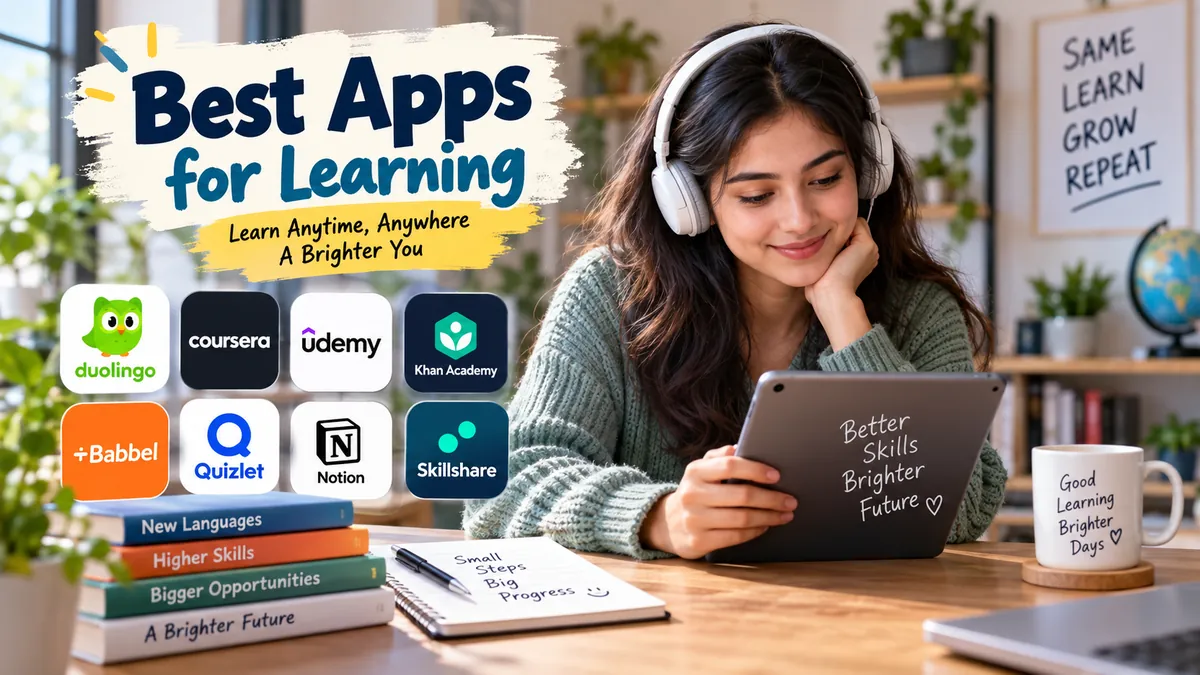
Your phone can distract you for an hour without you noticing—or help you understand algebra, practice Spanish, learn Python, memorize an exam syllabus, or complete a university course.
The difficult part is choosing an app that actually matches what you want to learn.
The best apps for learning in 2026 include Khan Academy for free academic education, Duolingo for languages, Brilliant for interactive STEM, Quizlet and Anki for studying and memory, Coursera for structured courses, Mimo for beginner coding, and Skillshare for creative skills. The right choice depends mainly on your subject, learning style, and available study time.
Best Apps for Learning at a Glance
Learning apps are difficult to rank as one universal list because they solve very different problems. A flashcard system such as Anki is fundamentally different from a course platform such as Coursera, while Duolingo is designed around frequent language practice.
A more useful comparison is to match each app to the job it performs best.
| App | Best for | Learning style | Free access |
|---|---|---|---|
| Khan Academy | Academic subjects | Videos + exercises | Yes |
| Duolingo | Languages | Short gamified lessons | Yes |
| Brilliant | Math, science, computing | Interactive problem-solving | Limited |
| Quizlet | Studying and exam review | Flashcards + practice | Yes, with limits |
| Anki | Long-term memorization | Spaced-repetition flashcards | Platform-dependent |
| Coursera | University and career learning | Structured courses | Some content |
| edX | Academic courses | Courses + assessments | Some audit access |
| Udemy | Specific practical skills | Video courses | Mostly paid |
| Mimo | Beginner coding | Interactive exercises | Limited |
| Skillshare | Creative skills | Project-based classes | Mainly subscription |
| Yousician | Musical instruments | Interactive practice | Limited |
| Khan Academy Kids | Early childhood learning | Games, stories + activities | Yes |
Rather than installing several at once, identify one clear learning goal and choose the app designed around that goal.
1. Khan Academy — Best Free App for Academic Learning
Khan Academy remains one of the easiest recommendations for anyone looking for serious academic learning without a conventional subscription.
Its courses cover areas including mathematics, science, economics, computing and humanities, using explanatory lessons alongside practice exercises. Current comparisons consistently identify it as one of the strongest free academic options.
Why Khan Academy works
The platform is particularly useful when you need a sequence rather than disconnected explanations.
Suppose you are struggling with calculus. Watching random videos about derivatives may answer individual questions, but it can leave gaps in prerequisite knowledge. A structured learning path can take you through the concepts in a more logical order.
Khan Academy is especially useful for:
- School and college students
- Math and science foundations
- Economics and computing
- Test preparation
- Adults relearning academic subjects
- Independent learners filling knowledge gaps
Its biggest advantage is accessibility: the core educational material is free.
The downside is that its classroom-style structure requires more commitment than a five-minute microlearning app. Someone looking mainly for casual daily facts may prefer a lighter format.
Quick Takeaway: Choose Khan Academy when you want systematic academic understanding rather than quick entertainment disguised as education.
2. Duolingo — Best for Building a Language-Learning Habit
Duolingo is built around a problem almost every language learner encounters: consistency.
People often start a language enthusiastically, study intensely for several days, and then stop. Duolingo counters this with short exercises, progress tracking, streaks, reminders and game-like rewards.
That makes it one of the strongest choices for establishing a daily language habit, particularly for beginners.
What Duolingo does particularly well
Lessons are small enough to complete during a commute, lunch break or spare ten minutes. Activities mix vocabulary, reading, listening and other language exercises.
This creates a low barrier to starting each session.
But there is an important limitation.
Completing app lessons should not be confused with complete language mastery. Real proficiency also requires substantial listening, reading, writing and—especially—conversation.
A better approach is:
- Use Duolingo for consistent daily practice.
- Listen to native speakers regularly.
- Read progressively harder material.
- Practice speaking with real people.
- Use spaced repetition for difficult vocabulary.
The app becomes much more valuable when it is one component of that broader system.
3. Brilliant — Best for Interactive STEM Learning
Some subjects are difficult to learn passively.
You can watch someone solve mathematics problems for hours and still struggle when you face a new problem alone.
Brilliant approaches this differently by emphasizing interactive problem-solving across areas such as mathematics, science, logic and computer science. Instead of simply presenting information, lessons frequently require learners to think through a problem before receiving the explanation.
That makes Brilliant especially appealing to visual and hands-on learners.
Best for
Brilliant makes the most sense for learners interested in:
- Mathematics
- Logic
- Computer science
- Scientific reasoning
- Quantitative problem-solving
- Building intuition rather than memorizing formulas
Its primary limitation is access: substantial use of the platform requires a paid plan, while Khan Academy provides broader free academic material.
A practical combination is Khan Academy for systematic instruction and Brilliant for interactive problem-solving.
4. Quizlet — Best App for Studying and Exam Preparation
Learning something for the first time and remembering it three weeks later are different problems.
Quizlet focuses heavily on the second.
Students can work with flashcards and other study activities to repeatedly retrieve information instead of simply rereading notes. Current learning-app comparisons continue to position Quizlet primarily around exam preparation, flashcards and repeated practice.
It can be particularly useful for subjects containing large amounts of factual material, including:
- Vocabulary
- Terminology
- Historical dates
- Scientific definitions
- Anatomy
- Geography
- Exam concepts
Don’t turn flashcards into another form of reading
A common mistake is looking at the answer before genuinely trying to retrieve it.
Make yourself answer first.
That small change transforms flashcards from passive review into active recall.
If you create your own cards, keep individual questions narrow. A card asking five things simultaneously becomes unnecessarily difficult to review.
5. Anki — Best for Long-Term Memorization
If Quizlet offers an accessible study environment, Anki is the option many serious learners eventually encounter when they become interested in long-term memory.
Its defining idea is spaced repetition.
Instead of reviewing every flashcard equally, spaced-repetition systems schedule material according to when it needs to be reviewed. Current comparisons therefore distinguish Anki from general course apps by positioning it specifically for long-term memorization.
This can work particularly well for:
- Language vocabulary
- Medical terminology
- Professional exams
- Scientific facts
- Definitions
- Formulas
- Any large body of information requiring durable recall
Anki does have a learning curve. Its interface and card-creation workflow can feel less immediately friendly than more polished consumer apps.
The payoff is control.
A simple rule for better Anki cards
One card should usually test one idea.
Instead of:
Explain photosynthesis.
Break the concept into smaller questions about chlorophyll, light-dependent reactions, carbon dioxide, glucose and related processes.
Smaller cards are easier to retrieve accurately and diagnose when you forget something.
6. Coursera — Best for Structured Online Courses
Sometimes five-minute lessons aren’t enough.
If your goal involves completing a substantial course in data science, psychology, business, computer science or another professional or academic subject, you need deeper structure.
That’s where Coursera fits.
Coursera hosts structured online courses and programs associated with universities and companies. Learning commonly involves combinations of video lectures, readings, quizzes and assignments rather than isolated daily exercises.
Coursera is best when you want depth
Consider it for:
- Career development
- University-level subjects
- Professional certificates
- Technical skills
- Business education
- Data and technology courses
- Longer structured learning paths
The tradeoff is time.
A substantial online course demands far more attention than opening Duolingo for ten minutes.
That isn’t necessarily a weakness—it simply means Coursera solves a different learning problem.
Certificates also need to be understood correctly. Completing a platform certificate does not automatically make it equivalent to an accredited university qualification or college credit. Check exactly what a credential represents before treating certification as your main reason for taking a course.
7. edX — Best Alternative for University-Style Learning
edX is another major option for learners who prefer structured academic material.
Like Coursera, it sits closer to formal online education than casual mobile microlearning. Current comparisons commonly group the two together for learners interested in university or institution-backed courses and credentials.
That makes edX useful when you want:
- Academic depth
- A structured syllabus
- University-created material
- Professional development
- Assessments and guided progression
Free access varies by course and format, while certificates and other features may require payment.
For both Coursera and edX, choose the course before choosing the platform. Instructor quality, syllabus depth and assignments usually matter more than which logo appears at the top of the screen.
8. Udemy — Best for Learning One Specific Practical Skill
Udemy works differently from platforms built around traditional academic programs.
Its enormous catalog makes it particularly useful when your learning goal is highly specific.
For example, someone may want to learn:
- Microsoft Excel
- Python
- Adobe Photoshop
- WordPress
- Photography
- Video editing
- Public speaking
- Web development
Instead of enrolling in a broad program, you can find a course focused closely on that skill. Current learning-app comparisons consistently highlight this specificity as one of Udemy’s strongest use cases.
The disadvantage comes from the same marketplace structure.
Course quality varies by instructor.
Before beginning a long course, inspect its curriculum, preview the teaching style and check whether the material has been updated recently—especially for fast-changing software and technology subjects.
9. Mimo — Best App for Beginner Coding Practice
Programming cannot be learned effectively through videos alone.
Eventually, you have to write code.
Mimo is designed to make that first step less intimidating through short coding lessons and interactive exercises. Recent comparisons recommend it particularly for beginners who want guided programming practice on a phone.
It can help beginners start working with subjects such as:
- Python
- JavaScript
- HTML
- CSS
- SQL
- Web-development fundamentals
Short exercises are excellent for building momentum, but they are only the beginning of becoming a programmer.
Once you understand basic syntax, start building things.
Create a small website. Automate a repetitive task. Build a basic calculator. Work with an API. Debug your own mistakes.
Real projects force you to combine concepts in ways guided exercises cannot.
10. Skillshare — Best for Creative Skills
Academic learning isn’t the only kind of learning worth putting on your phone.
Skillshare focuses more heavily on creative and practical learning. Current comparisons particularly associate it with project-led classes taught by working creatives.
Topics can include areas such as:
- Illustration
- Graphic design
- Photography
- Writing
- Animation
- Video
- Freelancing
- Creative workflows
Its project-oriented format matters.
Creative skills develop through production, not simply consumption. Watching twenty photography classes will not teach you as much as watching one good class and then deliberately taking photographs using what you learned.
The same principle applies to writing, drawing, design and video editing.
Quick Takeaway: For creative learning, judge an app by how often it gets you away from the lesson and into actual creation.
11. Yousician — Best for Learning a Musical Instrument
Music introduces a challenge most general learning apps cannot solve: the application needs to respond to something happening outside the screen.
Yousician is designed around instrument practice and can provide feedback as users play. Current learning-app comparisons recommend Yousician and similar tools such as Simply Piano when learners want interactive instrument practice rather than video-only instruction.
It can make independent practice more structured, especially during the early stages.
Still, an app cannot completely replace the value of a skilled teacher who can identify technique problems, posture issues or musical weaknesses specific to you.
Think of the app as a practice companion rather than an automatic path to mastery.
12. Khan Academy Kids — Best Learning App for Young Children
The criteria for choosing an educational app change dramatically when the learner is a child.
Bright graphics and entertaining games do not automatically make an application educational.
Khan Academy Kids is consistently recommended as a strong free option for younger children, covering early skills through interactive activities and stories. Recent 2026 comparisons place it among the leading free all-around learning choices for young children.
Parents should evaluate children’s educational apps using different questions:
Does the activity teach a real skill? Is it appropriate for the child’s age? Are advertising and upselling limited? Does the child actively participate rather than passively watch?
And most importantly: does the digital activity complement reading, conversation, physical play and real-world exploration rather than replacing them?
Which of the Best Apps for Learning Should You Choose?
Don’t begin with the app.
Begin with the outcome.
Ask yourself:
What should I be able to do after using this app for three months?
That question immediately eliminates many unsuitable choices.
| Your goal | Strong starting point |
|---|---|
| Understand school subjects | Khan Academy |
| Learn a language | Duolingo |
| Improve math and STEM reasoning | Brilliant |
| Prepare for exams | Quizlet |
| Memorize information long term | Anki |
| Complete structured courses | Coursera or edX |
| Learn one specific practical skill | Udemy |
| Start programming | Mimo |
| Develop creative skills | Skillshare |
| Learn an instrument | Yousician |
| Find learning activities for young children | Khan Academy Kids |
The second question is equally important:
How do you prefer to learn?
Someone who hates watching long lectures may abandon an otherwise excellent video course. A learner who enjoys solving puzzles may progress much further with Brilliant. Someone who needs formal structure may find microlearning too fragmented.
The best learning app isn’t necessarily the one with the most features. It’s the one whose learning method matches the work you need to do.
What Are the Best Free Apps for Learning?
If your priority is free education, start with Khan Academy.
Its combination of structured academic content and free access makes it unusually useful across a broad range of subjects. Multiple current comparisons identify it as the leading fully free academic option.
Other platforms may provide useful free access, but “free” can mean very different things.
An app might offer:
- Full free access
- Advertising-supported lessons
- Limited daily activities
- A small free course library
- Course auditing without certificates
- A temporary trial
- Free downloads with paid core features
Check what is actually included before investing time building your study routine around a platform.
Free access and paid-plan details also change, so verify current terms inside the app or on its official site rather than relying on an old comparison article.
Do Learning Apps Actually Work?
Yes—but installing an educational app does not produce learning by itself.
Effective learning requires retrieval, practice, feedback and repeated exposure.
This distinction explains why two people can spend the same amount of time using an app and achieve completely different results.
One watches lessons continuously.
The other watches a lesson, closes the explanation, tries to reconstruct the idea from memory, completes practice problems and returns to difficult material later.
The second learner is doing much more cognitive work.
Active learning beats passive consumption
Try turning every app session into a simple cycle:
- Learn: Study one manageable concept.
- Retrieve: Close the material and explain what you remember.
- Practice: Answer questions or apply the skill.
- Check: Find mistakes and understand why they happened.
- Review: Return to important material later.
- Apply: Use the knowledge outside the app.
That final stage is especially important.
Learning Python? Build something.
Learning Spanish? Speak it.
Learning photography? Take photographs.
Studying mathematics? Solve unfamiliar problems without looking at examples.
Learning becomes useful when knowledge survives outside the interface that taught it.
How Long Should You Use a Learning App Each Day?
You do not need hours every day to make progress.
Short sessions can be useful when they make learning consistent. Several current learning platforms deliberately organize material into approximately five- to fifteen-minute sessions because this makes learning easier to fit around work, school and other responsibilities.
But duration should match the subject.
Ten minutes of vocabulary review can be productive. Ten minutes is unlikely to be enough for a difficult programming project or university assignment.
Instead of chasing a perfect number, establish a minimum study session that you can maintain even on busy days.
For example:
15 minutes every day + one longer practice session each week.
Consistency creates continuity. Longer sessions provide room for deeper work.
Microlearning vs. Full Courses: Which Is Better?
Neither format wins automatically.
Microlearning divides information into small units that are easy to complete frequently. It works particularly well for vocabulary, review, general knowledge and maintaining a daily learning habit.
Full courses provide a deliberate sequence of concepts and allow more complex subjects to develop over time.
Use microlearning when you need:
- Short daily practice
- Habit formation
- Review
- Vocabulary
- Small knowledge units
Choose deeper courses when you need:
- Complex conceptual understanding
- Projects
- Assessments
- Professional development
- A coherent curriculum
- Extended practice
You can also combine them.
A learner studying data science might complete a Coursera course several times per week, review terminology using Anki, and practice Python independently.
Each tool handles a different part of the learning process.
Are AI Learning Apps Better?
AI has become increasingly common in education apps, but “AI-powered” should not be treated as evidence that an app teaches effectively.
Artificial intelligence can be genuinely useful for personalized explanations, generated practice questions, conversational exercises and feedback. It can also produce inaccurate, misleading or poorly structured material.
Treat AI-generated explanations as assistance rather than unquestionable authority.
This matters especially in technical, academic or high-stakes subjects.
If an app generates a surprising claim, formula, historical detail or scientific explanation, verify it against a reliable source.
The underlying learning principles remain the same regardless of how sophisticated the technology becomes: understand, retrieve, practice, receive feedback and apply.
Common Mistakes That Make Learning Apps Less Effective
The first mistake is collecting apps instead of learning.
Installing seven educational applications can create the feeling of progress while spreading your attention across seven unfinished learning paths.
Start with one primary tool.
The second mistake is protecting a streak instead of building competence. A 200-day streak looks impressive, but the meaningful question is whether you can use what you studied without the app prompting you.
The third is passive consumption.
Watching educational videos can feel productive because the material seems understandable while someone else explains it. The real test comes when the explanation disappears.
The fourth is avoiding difficult practice.
Struggle isn’t automatically evidence that a learning method has failed. When you are trying to retrieve information, solve unfamiliar problems or produce a new skill independently, some difficulty is expected.
Finally, don’t confuse a certificate with mastery.
A credential can document course completion. Your ability to explain, apply and demonstrate the skill is what makes the learning useful.
How to Build a Learning System That Actually Lasts
The strongest approach is often not finding one magical application but assigning different tools specific roles.
Keep the system small.
Step 1: Define one measurable goal
“Learn programming” is vague.
“Build a simple Python web application independently” is much clearer.
Step 2: Choose one main learning app
Select the platform that provides your core instruction.
That might be Khan Academy for mathematics, Duolingo for a language or Coursera for a structured professional subject.
Step 3: Add a memory tool only when necessary
If your subject contains information that must be remembered precisely, use Quizlet or Anki for active recall and spaced repetition.
Step 4: Schedule real practice
Don’t allow the app to become the entire learning environment.
Use the skill independently.
Step 5: Review progress monthly
Ask yourself three questions:
What can I do now that I couldn’t do last month?
What am I repeatedly forgetting?
Am I practicing independently, or just completing lessons?
If you cannot identify meaningful progress, change the method before adding more study time.
Final Thoughts on the Best Apps for Learning
There is no universal winner among the best apps for learning because learning Spanish, calculus, Python, guitar and graphic design require fundamentally different kinds of practice.
Khan Academy is an excellent starting point for free academic learning. Duolingo makes frequent language practice easy to maintain. Brilliant emphasizes interactive STEM problem-solving. Quizlet and Anki strengthen review and memory. Coursera and edX provide deeper structured courses, while Udemy, Mimo, Skillshare and Yousician address more specific practical skills.
Choose one based on what you actually want to learn, use it consistently, and move beyond the screen whenever possible.
The app provides the structure. Practice is what turns that structure into a skill.